
Documentation
VT Planner Analysis Guide
Guide to choosing a VT Planner analysis mode, setting demand, stair-use, energy, and operating controls, and launching calculations, simulations, multi-run studies, and batches.
Use Analysis to select a saved elevator setup, define the scenario, and start a calculation or simulation. Read the Launch panel before execution: it combines setup validity, demand validity, account availability, and run limits.
Before Launching
You need:
- a saved building;
- a saved setup for the current building version;
- a setup that can serve the selected demand;
- no other
QueuedorRunningrun in the same project; - account permission for another active job;
- usage remaining under the account limits.
The Launch panel identifies the action required for any setup marked Action needed, Outdated, or Not selected.
If the message concerns access, usage, or active-job limits, see Account and Support.
Choose the Analysis Mode
| Mode | Best use | Main output |
|---|---|---|
Calculation |
Fast sizing, screening, and structured comparison. | RTT, analytical interval, handling capacity, and related estimates. |
Simulation |
One time-based realization of passenger arrivals, queues, dispatch, loading, and transfers. | Passenger outcomes, distributions, queues, activity, charts, and replay. |
Multi-run simulation |
Repeated simulations when seed variability or precision matters. | Aggregated metrics, percentiles, confidence intervals, and a replayable sample. |
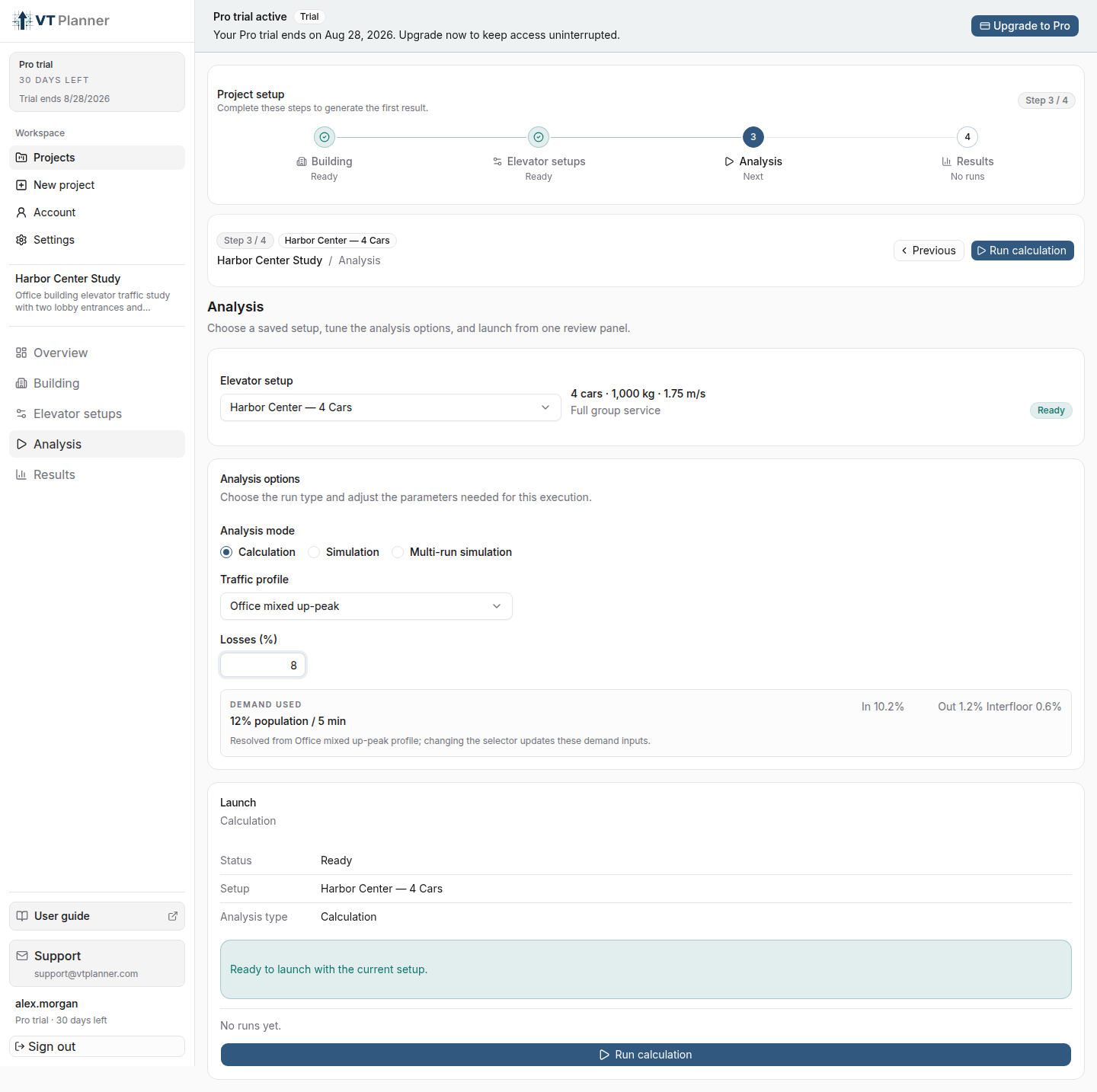
Calculation
Select a Traffic profile available for the saved building type. Custom exposes direct Incoming, Outgoing, and Interfloor demand in % population / 5 min.
Losses (%) applies an RTT loss allowance from 0% to 25%. Record and keep it consistent when comparing alternatives.
Use Calculation when a quick capacity and interval check answers the question. Use Simulation when dispatch decisions, stochastic queues, load bypass, time-varying demand, or transfer waiting are important.
Simulation
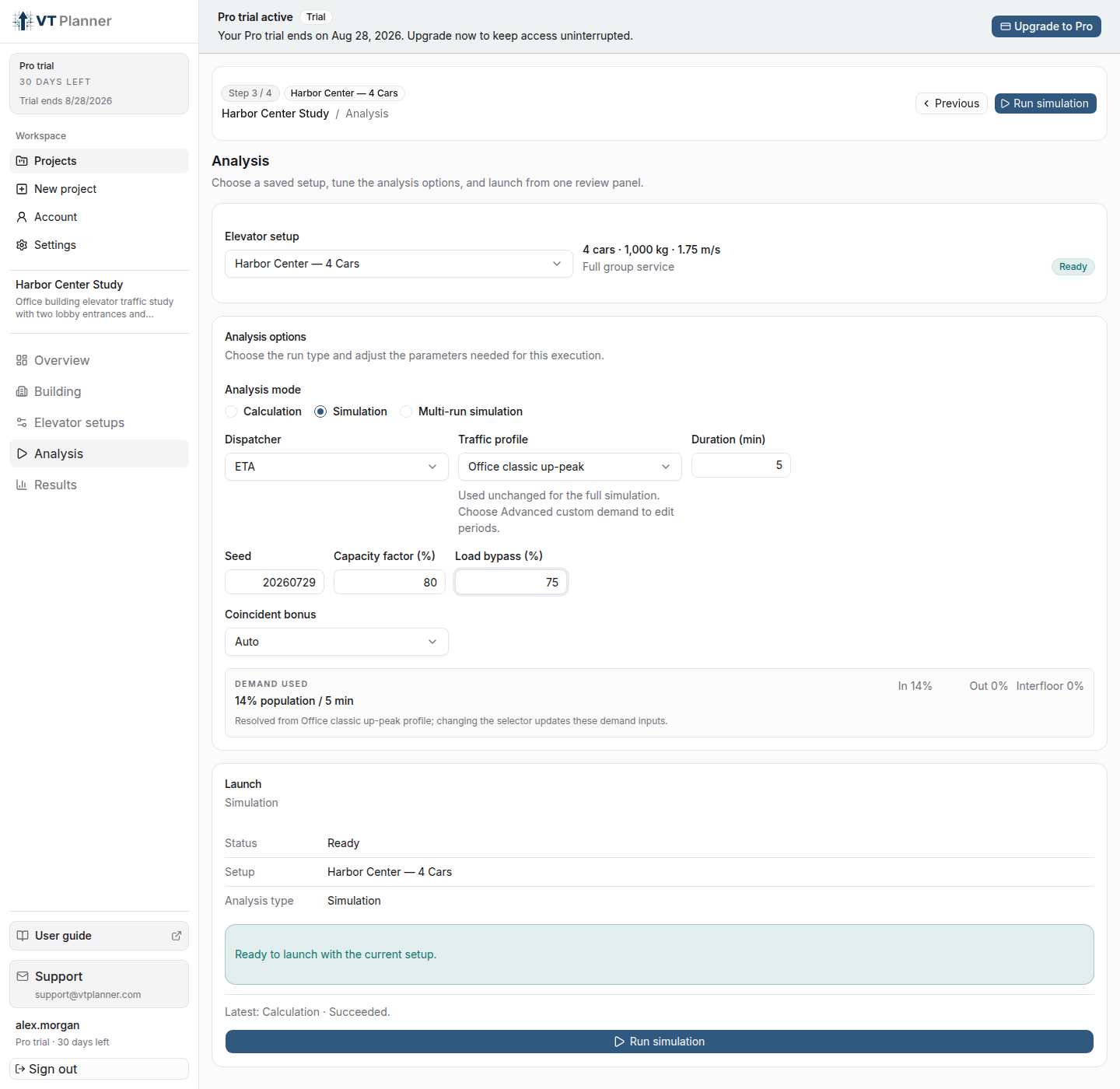
Configure:
| Control | Effect |
|---|---|
Dispatcher |
Selects the call-assignment strategy, such as ETA or ACA. |
Traffic profile |
Selects a Standard profile, Custom, or Advanced custom demand…. |
Duration (min) |
Sets the simulated horizon from 1 to 60 minutes. |
Seed |
Reproduces the same stochastic realization when the same scenario is run again. |
Capacity factor (%) |
Limits usable loading to a percentage of rated capacity. |
Load bypass (%) |
Sets the load threshold above which a car can bypass new calls. |
Stair factor (%) |
Diverts a distance-dependent share of short trips to stairs before elevator queues and metrics are formed. |
Coincident bonus |
Uses Auto or a manual value for compatible ETA dispatch scenarios. |
Include energy analysis |
Adds an operational-energy estimate when the selected setup has a valid energy model. |
Choose the Dispatcher
| Dispatcher | What it represents | When to use it |
|---|---|---|
ETA |
The default, wait-time-oriented dispatcher. It allocates a conventional landing call using the estimated car arrival time. | Use it for a conventional-control baseline or when passengers do not enter their destination at the landing. |
ACA |
Destination dispatch: the passenger destination is available before boarding and the system allocates a car, allowing compatible trips to be grouped. | Use it when the modeled installation has destination entry at the landing. |
Coincident bonus is available with ETA. It gives preference to a car already due to stop at the requested floor, which can avoid an additional stop when calls coincide. Keep Auto unless a documented manual value is part of the study, and keep the same setting when comparing elevator alternatives.
Standard profiles use one percentage-based demand for the full simulation. Advanced demand uses an absolute, time-varying origin-destination schedule. See Standard Traffic Profiles and Advanced Custom Demand.
Model Short Trips by Stairs
Stair factor (%) accepts 0% to 100% and defaults to 0%. It represents the share of one-floor trips that uses stairs instead of the elevator. VT Planner reduces that probability with trip distance: with 20%, approximately 20% of one-floor trips, 4% of two-floor trips, and 0.8% of three-floor trips are diverted to stairs.
This control applies to Standard and Advanced demand in Simulation, Multi-run, and Simulation batch. VT Planner removes diverted passengers before forming elevator queues, dispatch activity, and elevator-service metrics. A fixed seed reproduces the same stair-use decisions when the scenario remains unchanged.
Use 0% for an elevator-only scenario. Keep the value constant when comparing elevator options, and change it when stair accessibility or attractiveness is part of the scenario.
Include Operational Energy
Include energy analysis is available in simulation modes for setups with a valid energy model and no car-specific differences. Enable it for each new launch; Run again preserves the saved choice.
See Operational Energy before interpreting or comparing energy results.
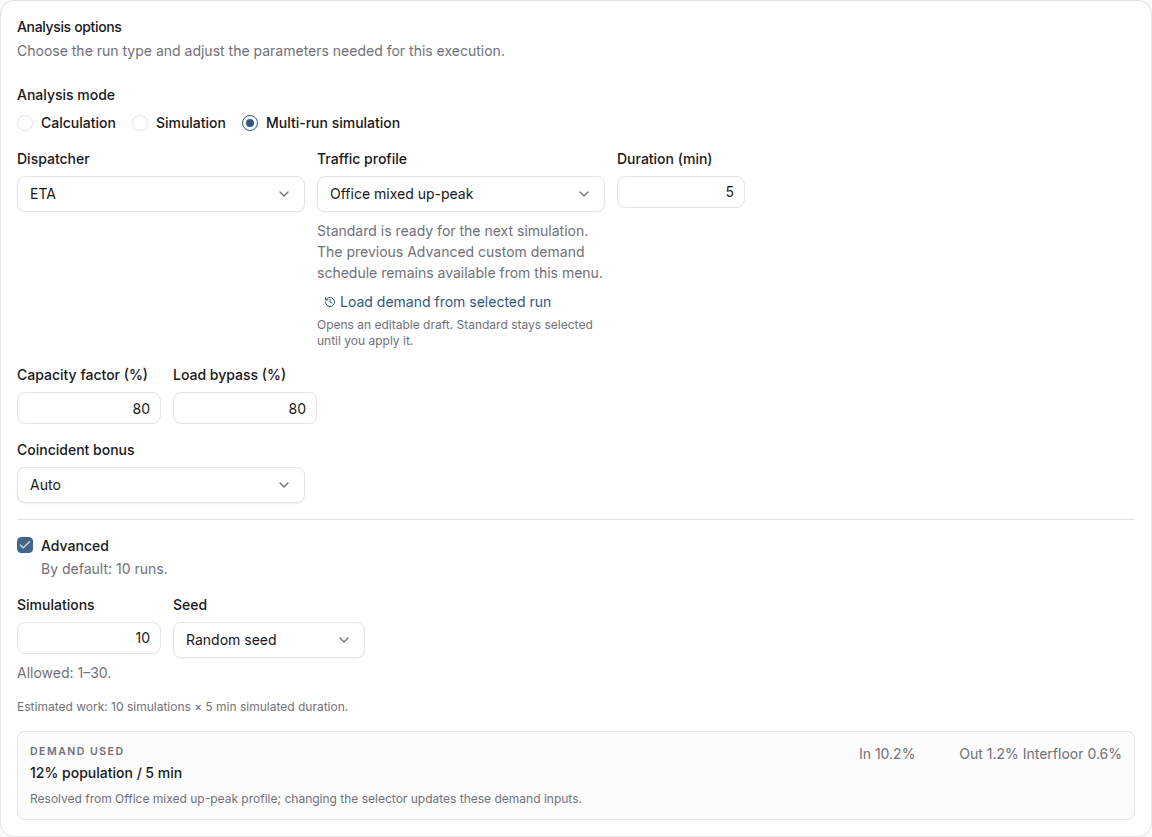
Multi-run Simulation
With the Advanced multi-run controls off, VT Planner uses the recommended default of 10 simulations. These controls are separate from Advanced custom demand. Turn the multi-run controls on when you need to set:
Simulationsfor a fixed-count run;Random seedorExplicit seed.
The allowed run range for the account is shown next to Simulations.
Compare Variants
A Compare variants setup generates a batch. Before launch:
- vary at least one of car count, capacity, or rated speed;
- inspect the estimated number of cases;
- keep the batch within the displayed limit;
- confirm every generated car count remains compatible with manual zones and any customized cars.
The form shows the applicable calculation or simulation case limit before launch.
Launch and Monitor
When the panel says Ready, use the run action for the selected mode. VT Planner opens Results, where the run moves through Queued and Running before reaching a final status.
You can request cancellation from the active-run panel. VT Planner finalizes completed work before showing the final status.