
Documentation
VT Planner Elevator Setups Guide
Guide to fixed elevator setups and Compare variants studies with car-specific settings, energy assumptions, motion, doors, passenger transfer, and service zones.
An elevator setup records one alternative for the current saved building: group size, capacity, motion, doors, passenger transfer timings, service model, optional car-specific differences, and optional energy assumptions.
Fixed Setup or Compare Variants
Choose the setup kind according to the question:
| Kind | Use it for | Available analyses |
|---|---|---|
Fixed setup |
One defined alternative, a base case, or a reusable option. | Calculation, Simulation, and Multi-run simulation. Car-specific settings are simulation-only. |
Compare variants |
A sweep of car count, capacity, or rated speed using List or Range values. |
Calculation batch or Simulation batch. |
Use a clear Setup name and put the assumptions that distinguish the option in Notes.
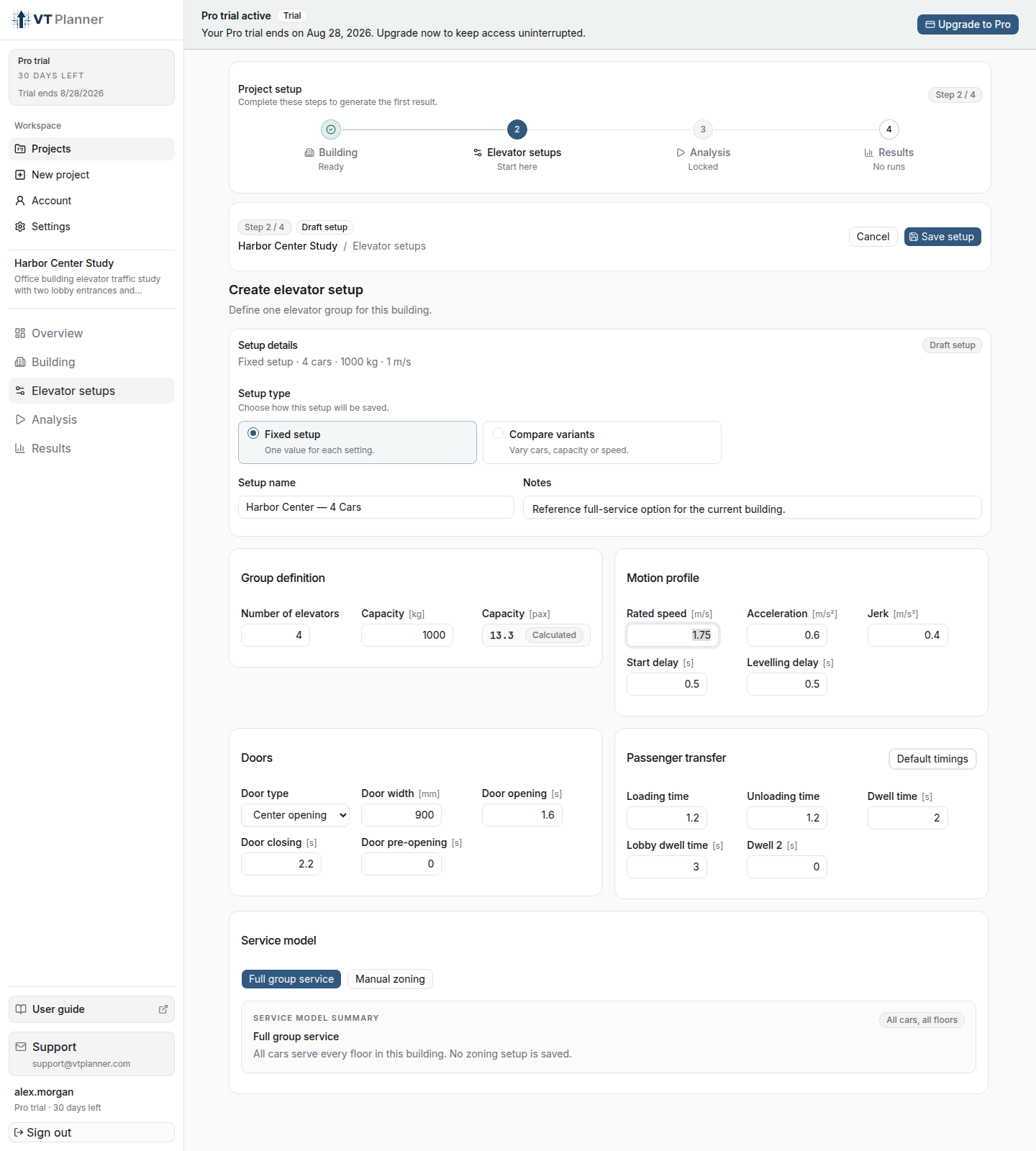
Group Definition
Number of elevators: cars in the group.Capacity: rated mass capacity.- passenger capacity: the corresponding
paxvalue shown by VT Planner.
For Compare variants, vary only the dimensions needed to answer the comparison. The launch panel shows the resulting number of cases before execution.
Different Settings by Car
Enable Different settings by car when one or more cars in the group have different physical or timing data. The group values remain the base configuration; expand Car N and enter only that car's differences in capacity, motion, doors, dwell, loading, or unloading.
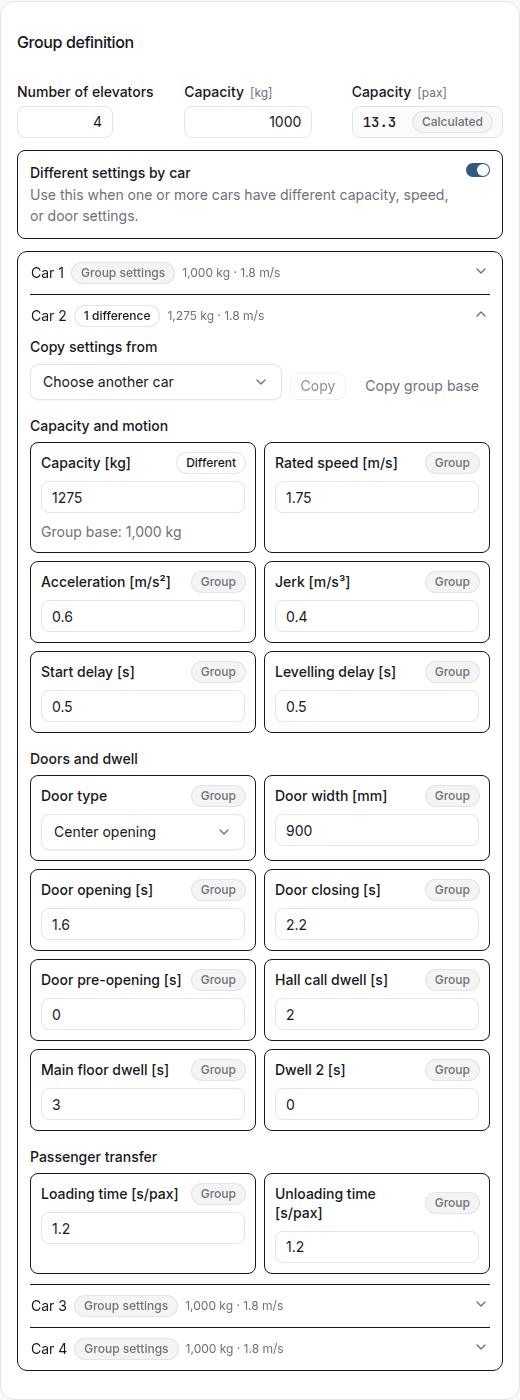
Use Copy settings from to start from another car, or Copy group base to restore the common values. When a field matches the group base, it returns to the common setting and is no longer listed as a car-specific difference.
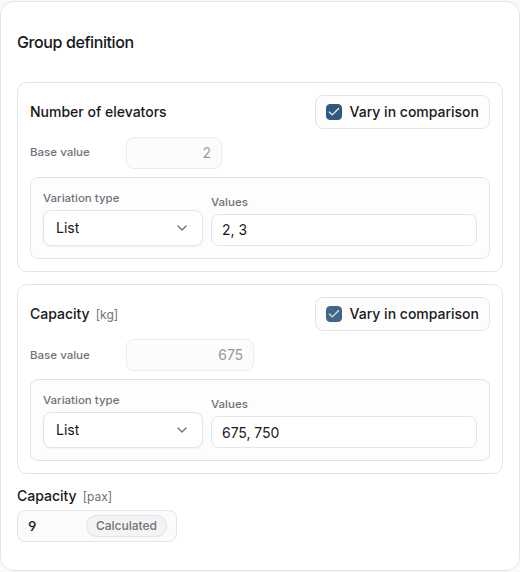
Motion Profile
Enter:
Rated speed;Acceleration;Jerk;Start delay;Levelling delay.
Default timings provides a coherent starting point based on the selected speed. Review those values when the project has specific equipment data.
Doors and Passenger Transfer
The Doors section includes:
Door type;Door width;Door opening;Door closing;Door pre-opening.
The passenger-transfer section includes:
Loading time;Unloading time;Dwell time;Lobby dwell time;Dwell 2, the post-transfer door hold-open time at a stop.
Service Model
Choose:
Full group servicewhen every car serves the full set of floors;Manual zoningwhen cars and floors must be divided into zones.
The manual zoning editor is organized into Zones, Floor assignment, Car assignment, and Review. Every car must belong to exactly one zone, and every required served floor must be covered.
Correct missing floor coverage, missing car assignments, and other base zoning errors before saving. A setup can still be saved when only a simulation entrance-coverage issue remains unresolved; Analysis then blocks the incompatible run and explains what needs attention.
See Zoning and Transfers before using overlapping zones or transfer floors.
Energy Model
Turn on Configure in Energy model to save drive, regeneration, standing-power, and regeneration-credit assumptions with the setup. Enable Include energy analysis for each simulation that should estimate energy.
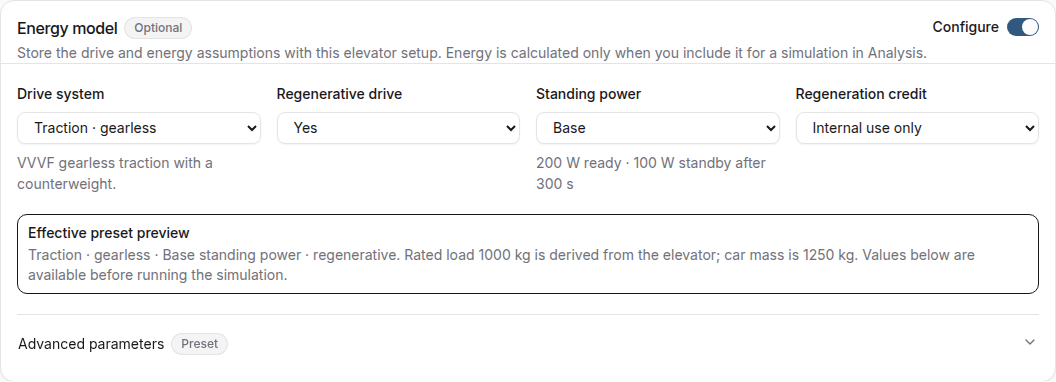
See Operational Energy for model choices, run controls, result interpretation, and supported operating ranges.
Save, Select, and Archive
Select Save setup. The Saved elevator setups table then shows the setup kind, cars, capacity, speed, energy-model status, and setup status. A setup with car-specific differences also identifies the number of customized cars in its saved detail.

Common statuses are:
Ready: saved for the current building;Selected: the setup currently chosen for analysis;Outdated: saved against an older building version.
Archive alternatives that have left the active comparison. Historical runs retain their frozen setup after the alternative is archived.